Appearance
ZynoInventory
WebWorkstationMobileSearch and edit stock items, track quantity, link items to ZynoSales products, scan barcodes, print labels, and import from CSV.
Permission required
You need ZynoInventory access to open the module. Creating, editing, deleting, and importing require ZynoInventory edit permission. Inline quantity changes can require the separate ZynoInventory quantity edit permission.
Getting there
Open ZynoInventory from the Home Launcher or sidebar.
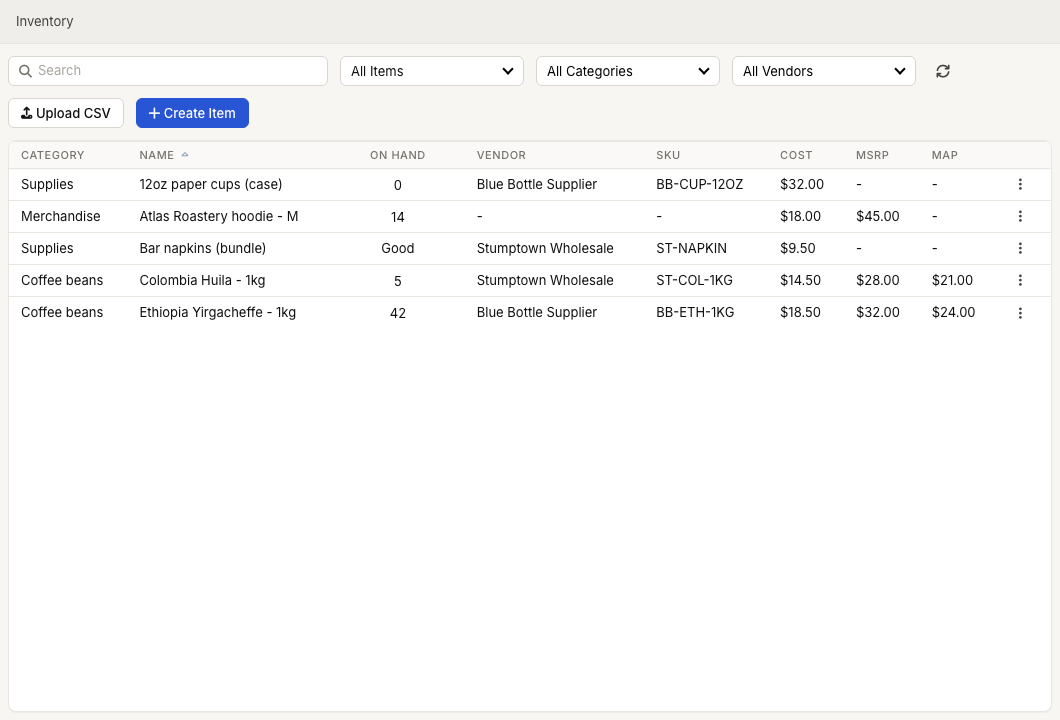
Main workflows
Day-to-day work usually follows this order:
- Item Management — browse, search, filter, sort, and open inventory items.
- Creating & Editing Items — create records, choose tracking type, set UPC/SKU/prices, and link to sales products.
- Categories & Organization — use categories and vendors to group and filter inventory.
- Stock Tracking — maintain exact quantities or Good/Low/Out status.
- Barcode Scanning — scan UPCs into search or item edit fields.
- Label Printing — print inventory labels from Workstation.
- CSV Import — bulk import items, map columns, clean data, and preview changes.
ZynoInventory and ZynoSales products
ZynoInventory items can be linked to ZynoSales products. When an item is linked, the ZynoInventory list marks it with a link icon and opening it takes you into the product editor's inventory view. Linked inventory helps ZynoSales decrement stock when products are sold.
Related
Common issues
| Problem | What To Check |
|---|---|
| ZynoInventory is missing from the launcher | Ask an administrator to confirm ZynoInventory access and role permissions. |
| Quantity cannot be edited | Confirm the item uses quantity tracking and your role has inventory quantity edit access. See Stock Tracking. |
| Barcode scanning does not find an item | Confirm the UPC/SKU on the item, scanner mode, and platform support. See Barcode Scanning. |
| Labels do not print | Use ZynoWorkstation with a configured label printer. See Label Printing and Label Printers. |
| A ZynoSales product does not decrement inventory | Confirm the product is linked to an inventory item and supports inventory tracking. See Product Inventory Tracking. |