Appearance
Ring Groups
WebWorkstationUse Admin > ZynoTalk > Ring Groups to group extensions so calls can ring several people in parallel or in sequence.
Admin Access required
Only ZynoTalk administrators should create or edit ring groups.
Current ZynoTalk Platform
This screen appears only for organizations using the current ZynoTalk calling platform. If you do not see it, your organization may be on a legacy voice setup or the feature may not be enabled.
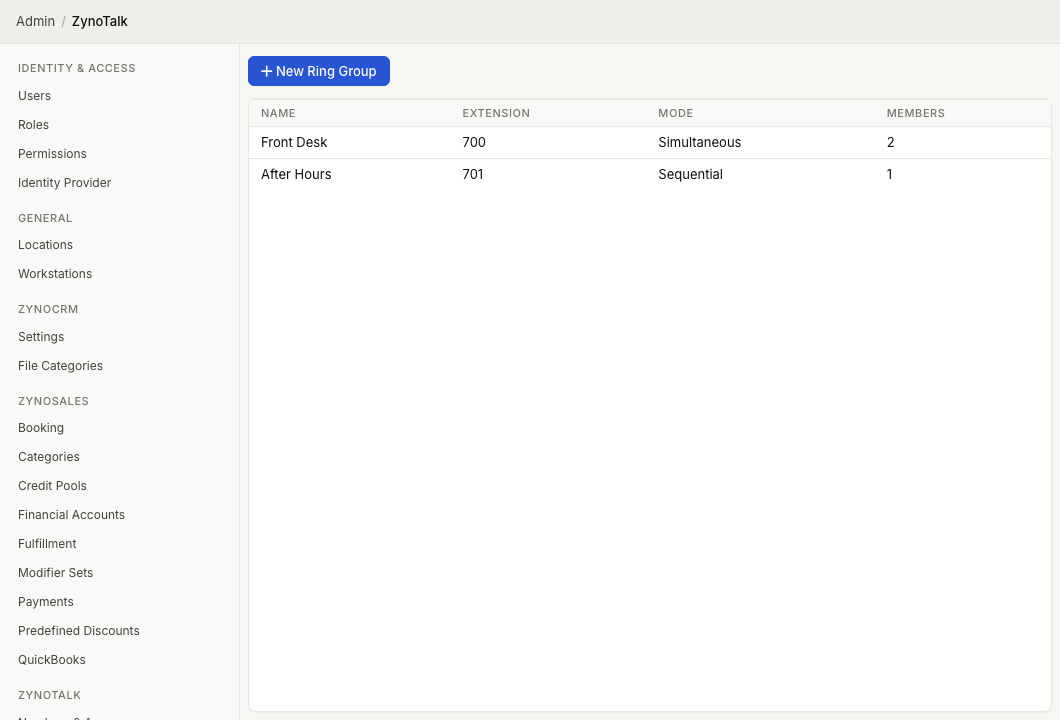
Page layout
The Ring Groups table shows:
- Name
- Extension
- Mode
- Members
Select a ring group to edit it. Open the row context menu to edit or delete a ring group.
Create a ring group
- Open Admin > ZynoTalk > Ring Groups.
- Select New Ring Group.
- Enter a Name.
- Enter an optional Extension if the group should be reachable internally.
- Choose a Mode.
- Set the Ring Timeout in seconds.
- Add each member extension.
- Choose each member's Ring Mobile behavior. For After a delay, enter the delay in seconds.
- Select Create.
Modes
| Mode | Behavior |
|---|---|
| Parallel | Rings members at the same time. |
| Sequential | Rings members in order. |
Ring mobile
| Option | Behavior |
|---|---|
| User Preference | Follows the user's own mobile calling preference. |
| Always | Rings the user's mobile app for this group. |
| After a delay | Starts counting when the member delay expires. A 5-second member delay plus a 1-second mobile delay starts the mobile app at second 6 of the ring group. |
| Never | Does not ring the user's mobile app for this group. |
In a parallel group, Ring Timeout still caps the mobile attempt. If the delay reaches that deadline, the mobile app will not ring. Browser softphone notifications for that member start with the same delayed attempt. In a sequential group, softphone attempts are timed from the start of the group, independently of when each desk phone starts ringing.
Use a ring group
Ring groups can be selected as telephone number routing targets, call flow nodes, caller rule destinations, and AI agent transfer targets.
Common issues
| Problem | What To Check |
|---|---|
| The group cannot be saved | Confirm the name is filled in and at least one member extension is selected. |
| A member is listed twice | The editor keeps one entry for each extension. |
| Mobile calls behave unexpectedly | Review each member's Ring Mobile option. |
| The delayed mobile app does not ring | For parallel groups, check that its delay is shorter than the group's Ring Timeout. Confirm the member has mobile calling enabled. |
| The group is missing from routing | Save the group first, then return to the number, call flow, caller rule, or AI agent. |